
Clock
A Core Web Vitals dashboard for the sites you run
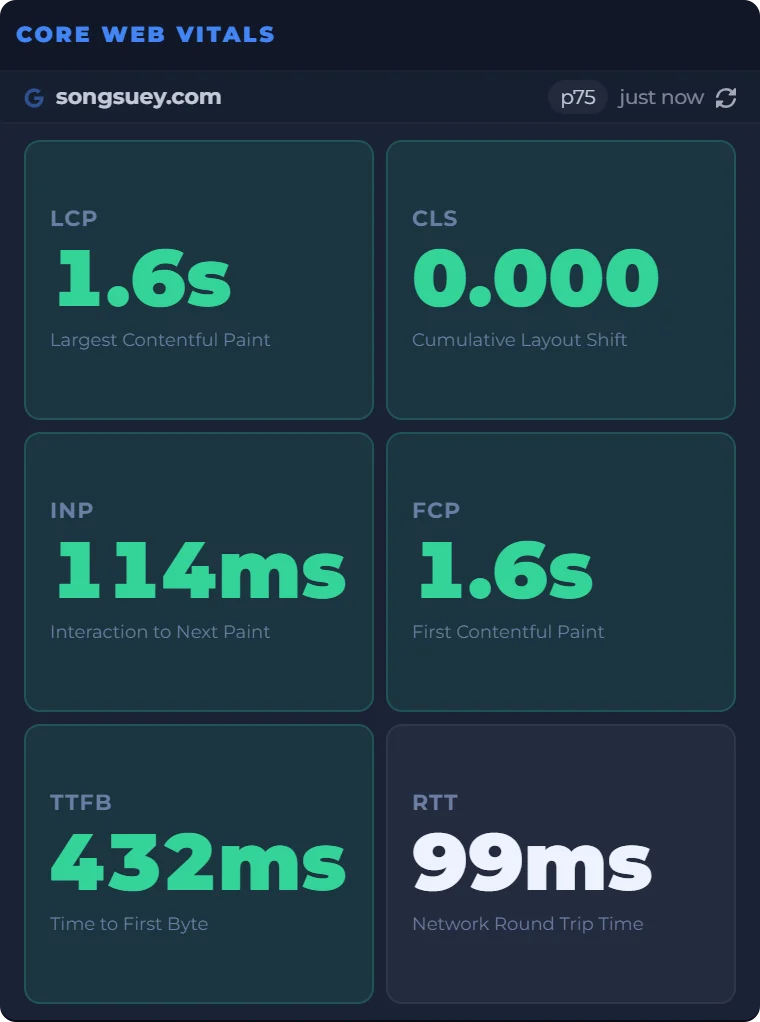
The Core Web Vitals widget keeps Google's real-user numbers for a site on your board: LCP, INP and CLS from the Chrome UX Report, next to everything else you check.
- Needs
- The site's address. No Google account, no code to add.
- Reads from
- Google's Chrome UX Report: 28 days of real Chrome visits
- Updates
- When your board opens and its reading is over a day old
On your board, next to the rest
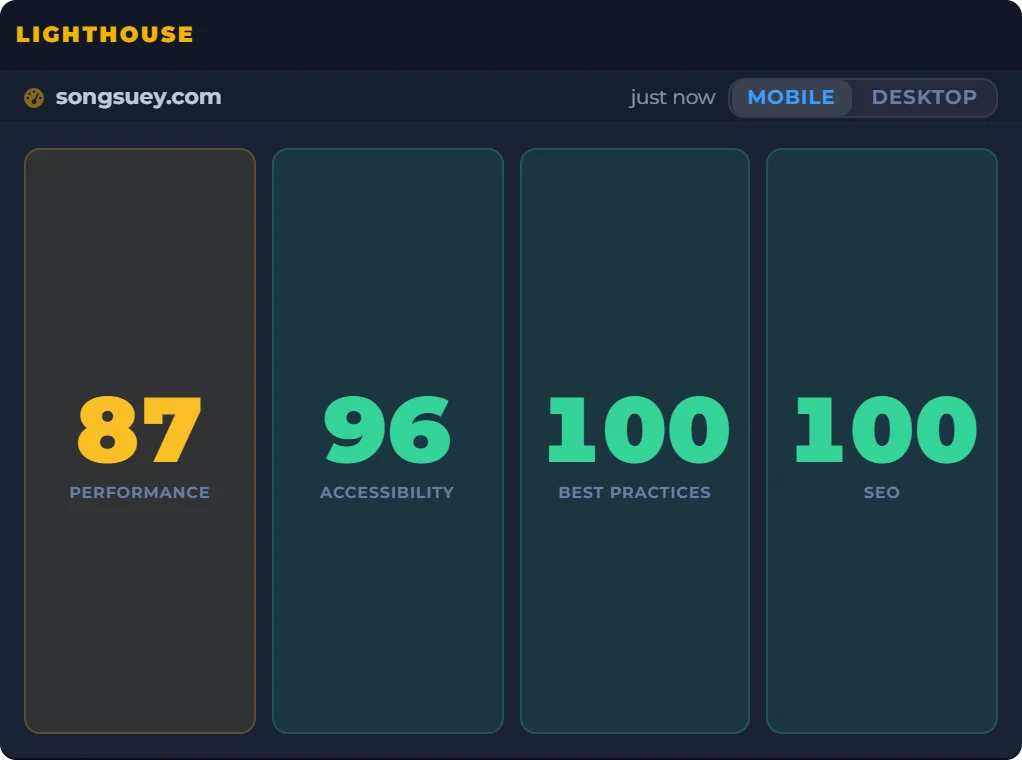
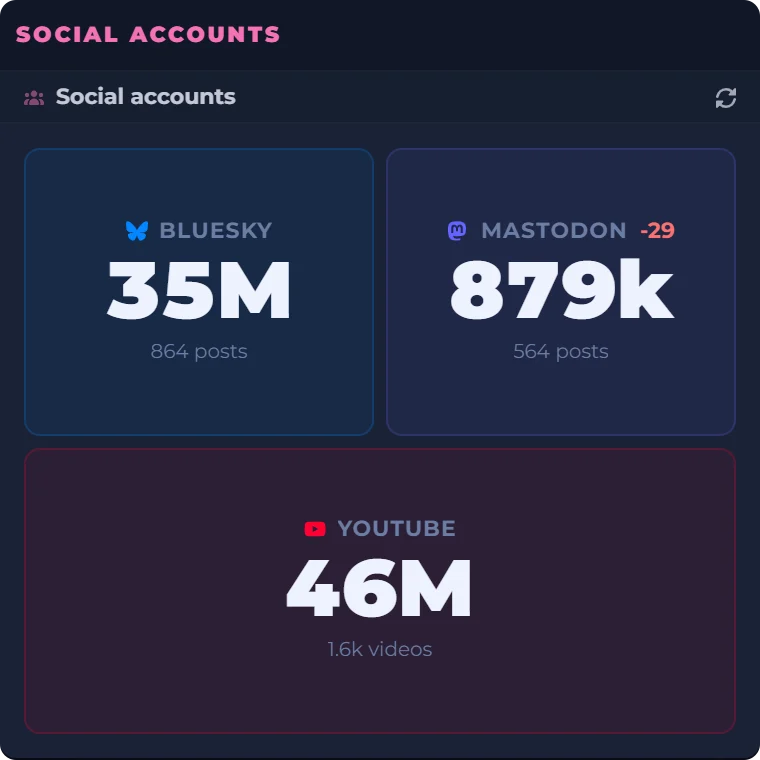
A site owner's morning, in one place: the scores, the real-user numbers and the follower counts beside a clock and a countdown to Friday evening. Every widget sits on the same board, saved to your account and the same on every computer you sign in on. The outlined one is Core Web Vitals.
Date
Count Down
Real captures of Lighthouse, Core Web Vitals and Social accounts, taken September 29, 2026, beside a live clock, date and countdown worked out in your browser.
What the widget shows
- The number
- The 75th percentile of the last 28 days: the value three visits in four met or beat. Google grades on this number, not on an average.
- Metrics
- LCP, CLS, INP, FCP, TTFB and round trip time to start, and up to ten in all, including the four phases of LCP. Drag them into the order you want.
- Grades
- Green, amber or red on Google's lines for the five metrics Google grades. The rest stay neutral rather than get a made-up grade.
- Site or page
- A bare domain reads the whole site. An address with a path reads that one page.
- Devices
- Phone and desktop together, in one reading.
- Where it lives
- On your board, saved to your account, and the same on every computer you sign in on.
Where the numbers come from
The widget reads Google's Chrome UX Report, the real-user data behind the Core Web Vitals report in Search Console. It counts Chrome on desktop and Android, from people who share usage statistics, and Google refreshes it daily as a rolling 28 days. A fix takes weeks to show in full.
Google retired its free CrUX Dashboard in Looker Studio at the end of November 2025. The widget reads the same kind of numbers and keeps them on the board you already open.
What it does not do
- It keeps no history and sends no alerts.
- It does not split phone and desktop.
- It needs a site with enough Chrome visits. Where Google has too few, the widget says so and suggests a busier page.
- Each person gets 10 fresh readings a day. Past that, the stored numbers keep showing.
Questions people ask
What are the Core Web Vitals?
Three measures of how a page feels to real visitors: Largest Contentful Paint for loading, Interaction to Next Paint for responsiveness, and Cumulative Layout Shift for visual stability. The widget shows all three, plus FCP, TTFB and round trip time.
How do I check Core Web Vitals?
Add the widget and type the address. There is nothing to connect and no code to add to your site. A bare domain gives you the whole site; an address with a path gives you that page.
What is a good Core Web Vitals score?
Google's lines, at the 75th percentile: LCP of 2.5 seconds or less, INP of 200 milliseconds or less, CLS of 0.1 or less. The widget colors each tile green, amber or red on those lines.
How do I pass the Core Web Vitals assessment?
Each of LCP, INP and CLS that has data needs to be in the good range at the 75th percentile. Three green tiles is what that looks like. The data covers 28 days, so a fix takes weeks to show in full.
What is the difference between Core Web Vitals and Lighthouse?
Core Web Vitals here are field data: what real Chrome visitors experienced over 28 days. A Lighthouse score is lab data: one simulated test. The two can disagree, and both widgets can sit side by side on one board.
Why is there no Core Web Vitals data for my site?
Google only reports public sites and pages with enough Chrome visits, and it does not say how many is enough. A whole domain counts the visits to all its pages, so it can have data when a single page does not.
How do I monitor Core Web Vitals?
Keep the widget on the board you open every day. Google updates the data once a day, and the widget fetches it when your board opens. It keeps no history and sends no alerts.