
Clock
An RSS feed widget for your start page
Pick a feed from the list or paste the address of any RSS or Atom feed, and News Feed keeps its latest headlines on your DashSuey board, on every computer you sign in on.
- Needs
- A feed from the list, or a feed's address
- Reads from
- The feed itself, through DashSuey
- Updates
- Every half hour while your board is open
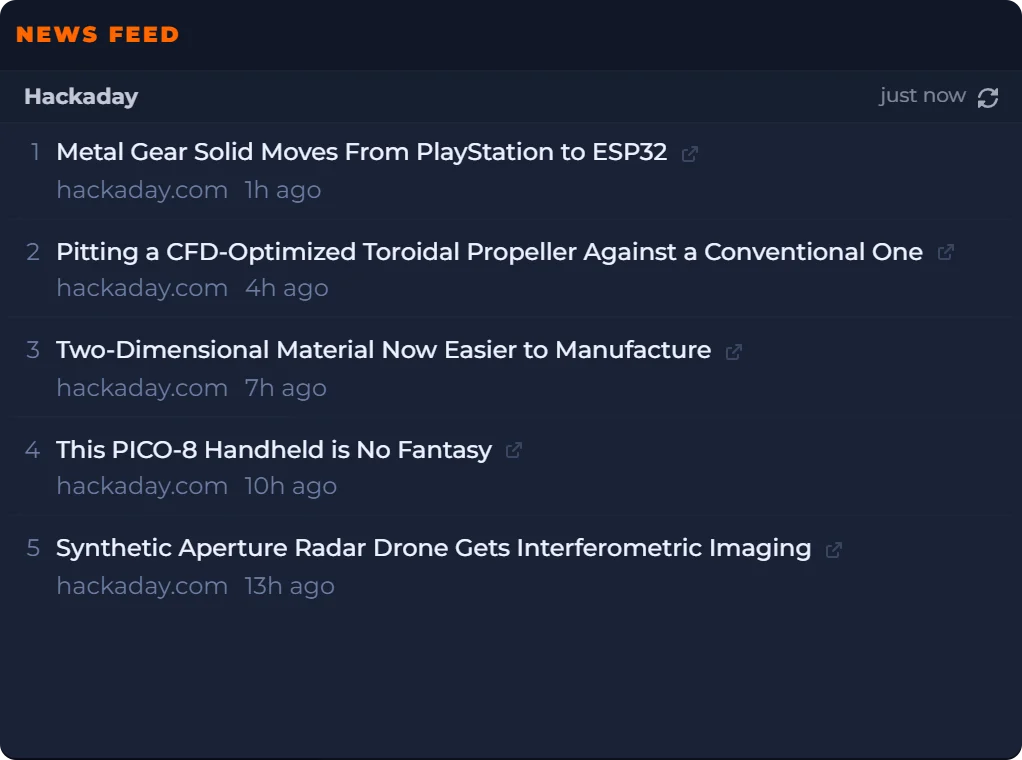
On your board, like the old home page
Headlines beside a clock, the date and the weather. The board is saved to your account, so the same feeds are there on every computer you sign in on.
Date
Weather
Sticky Note
The News Feed tile is a real capture from September 29, 2026; the others are live, for the place your connection suggests, or Chicago when it cannot tell. Weather data from MET Norway (CC BY 4.0).
What you can set
- Source
- A list of named feeds, among them Hacker News, Hackaday, Ars Technica, The Verge, NASA News and the GitHub Blog. Or paste the address of any public RSS or Atom feed.
- Stories
- Anywhere from 1 to 20. A new widget shows ten.
- Pictures
- None, small, medium or large, for feeds that carry them.
- Each headline
- Up to two lines, with the site and the story's age underneath. It opens the article in a new tab.
- One feed each
- For a second feed, add a second News Feed.
- Where it lives
- On your board, saved to your account, and the same on every computer you sign in on.
Where the headlines come from
From the feed itself. DashSuey's server reads it and keeps a copy for up to half an hour, so the publisher isn't asked again and again, then hands the widget the newest stories in the feed's own order. The header says how old that copy is.
It needs the feed's own address, not the site's. Paste a home page and the widget finds no headlines, and tells you to check the address.
What it does not do
- It isn't a full RSS reader. It has no unread counts, folders or search.
- It shows one feed per widget, and doesn't read JSON Feed.
- It shows headlines, not summaries or whole articles.
Questions people ask
What is an RSS feed?
It's a file a website publishes listing its newest posts, each with a headline, a link and a date, so other tools can show them without you visiting the site. Most feeds are RSS or Atom, and News Feed reads both.
Does anyone still use RSS?
Yes. Plenty of sites still publish a feed, and podcasts run on RSS. Every feed in News Feed's list is one its site publishes today.
How do I find a website's RSS feed?
Look for an RSS or feed link on the site, often in the footer. On WordPress sites, adding /feed/ to the address usually works. News Feed needs that feed address; a home page address shows no headlines.
Does Chrome have a built-in RSS reader?
No. News Feed runs on a web page, so it works the same in Chrome, Edge, Firefox or Safari, and there's nothing to install.
Is News Feed an RSS reader?
Not a full one. It keeps the latest headlines from one feed in view, and each one opens the article on the publisher's site. It has no unread counts, folders or search. If you follow dozens of feeds and read everything, a reader app suits you better.
How often does it update?
It asks for the feed every half hour while your board is open, and when you press refresh. DashSuey reads each feed at most once every half hour, so a brand-new story can take up to that long to appear. The header says how old the headlines are.
What is the Hacker News RSS feed address?
https://news.ycombinator.com/rss. It's the first feed in News Feed's list, so you don't need to paste it. For points and comment counts, DashSuey's Hacker News widget shows the front page.
Which feeds work?
Any public RSS or Atom feed on an http or https address. Not a website's home page, not a feed you have to log in to see, and not an address on your own network. Very large feeds (over 4 MB) and very slow ones (over 8 seconds) are skipped.
Does my feed follow me to another computer?
Yes. Your board, including each widget's settings, is saved to your account, so the same feeds are there on every computer you sign in on.