
Clock
A Wikipedia widget for your dashboard
Pick one section from Wikipedia, like today's featured article, Did you know or On this day, and the widget keeps it on your DashSuey board, on every computer you sign in on.
- Needs
- Nothing. Pick a section.
- Reads from
- Wikipedia's public daily feed
- Changes
- When Wikipedia's day does, at midnight UTC
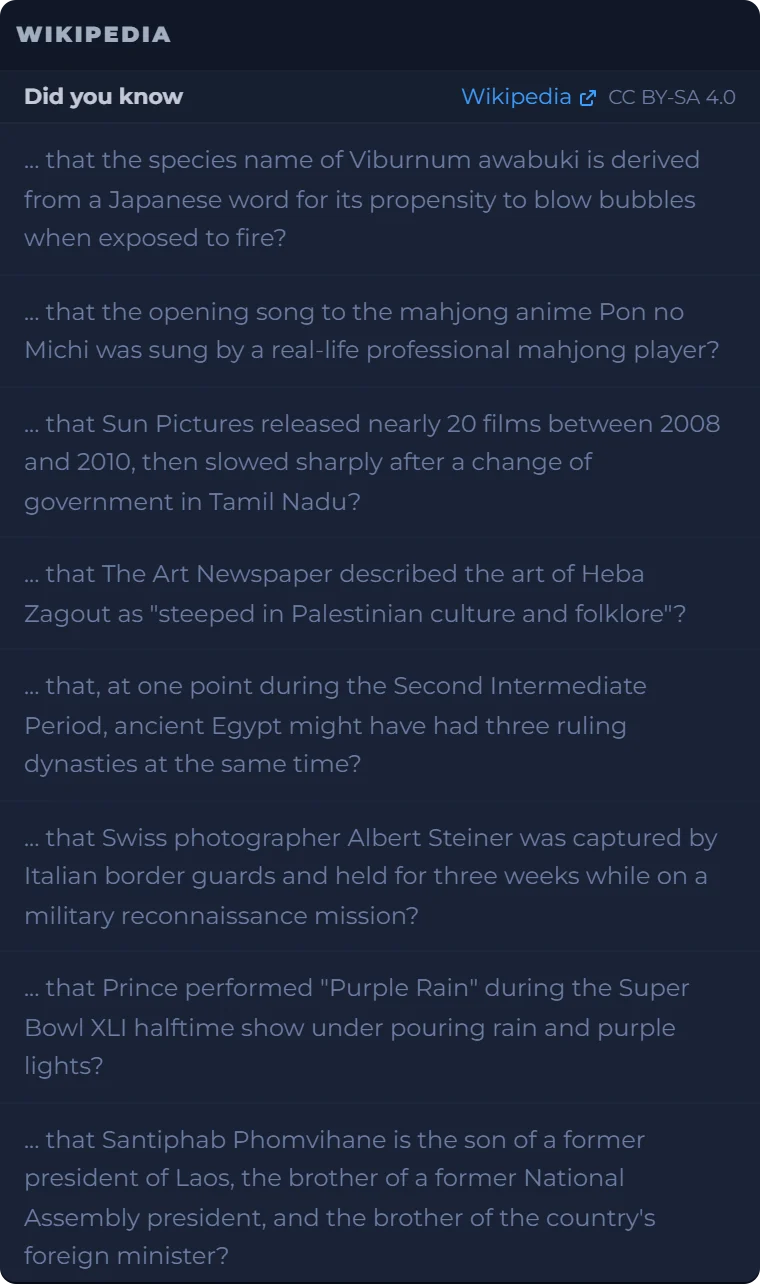
On your board, next to the rest of your day
Something to read beside a clock, today's date and a daily prompt. The board is saved to your account, so it looks the same on every computer you sign in on.
Date
Daily Prompt
Moon Phase
The Wikipedia tile is a real capture from September 29, 2026; the others are live in your browser.
What you can set
- Section
- Featured article, In the news, Did you know, On this day, Most read, or the Commons picture of the day. One section per widget; add another for a second.
- Links
- Every item links back to Wikipedia. The article text is shown under its CC BY-SA 4.0 license, named on the card.
- When it changes
- When Wikipedia's day does, at midnight UTC, on its own even on a board left open.
- Most read
- Ranks yesterday's page views, and Wikipedia publishes it once the day has been counted, so it can be empty early in the day.
- Where it lives
- On your board, saved to your account, and the same on every computer you sign in on.
Where it comes from
Wikipedia's public daily feed, read straight from your browser. The widget shows what Wikipedia scheduled for the day; it chooses nothing itself.
Wikipedia is a registered trademark of the Wikimedia Foundation, Inc. DashSuey is not affiliated with or endorsed by the Wikimedia Foundation.
What it does not do
- It shows today only, not yesterday's sections.
- It shows one section per widget.
- The small pictures beside articles don't carry their license on the card; open the picture's page on Wikipedia to check it.
Questions people ask
What is Wikipedia's featured article of the day?
Featured articles are the ones Wikipedia's editors have reviewed for accuracy, neutrality, completeness and style, and each day a summary of one appears at the top of the main page. The widget's Featured article section shows that day's article, linked to Wikipedia.
How are Wikipedia's featured articles chosen?
Volunteers write and review them, and designated volunteers schedule one for each day. The widget chooses nothing; it shows what Wikipedia scheduled.
What is the picture of the day?
There are two. English Wikipedia's main page has Today's featured picture, and Wikimedia Commons picks its own Picture of the day. The widget's picture section shows the Commons one, with its credit and license, linked to the picture's page.
Is there a Wikipedia widget for my computer?
Wikipedia's own widgets are for phones. On a computer, DashSuey's Wikipedia widget keeps one section on your board in the browser, with nothing to install, on every computer you sign in on.
Why is Most read empty in the morning?
Most read ranks yesterday's page views, and Wikipedia only publishes the list once the day has been counted. Until then the widget says so and offers to check again.
Can I see yesterday's featured article?
Not in the widget; it shows today only. Wikipedia keeps a list of recent featured articles on its own site.
Is DashSuey part of Wikipedia?
No. DashSuey is not affiliated with or endorsed by Wikipedia or the Wikimedia Foundation. The widget reads Wikipedia's public feed, shows its text under Wikipedia's CC BY-SA license, and links every item back to Wikipedia.