
Clock
What's playing on Spotify, on your dashboard
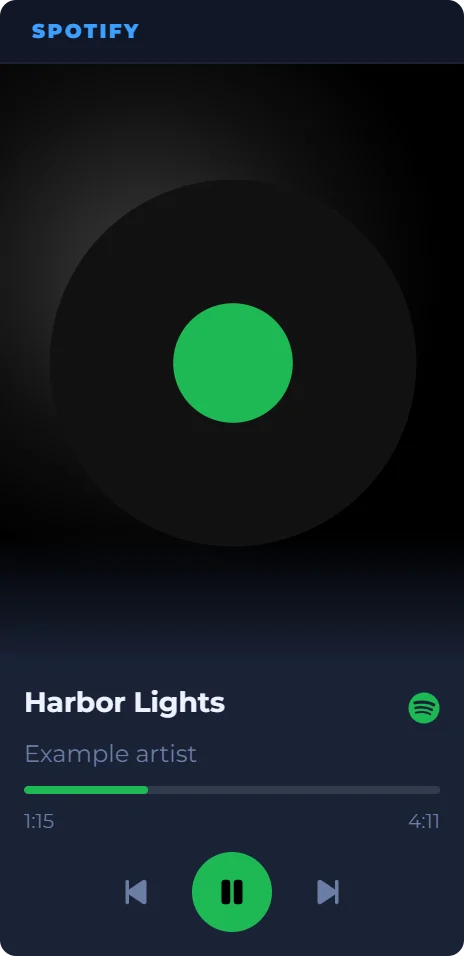
Connect your Spotify Premium account and this tile shows the song playing now, with its cover, a progress bar, and buttons for play, pause, next and previous. It sits on your DashSuey board in the browser, next to your other widgets, on any computer you sign in on.
- Needs
- Spotify Premium and a Spotify app of your own
- Reads from
- Your Spotify account, with your permission
- Updates
- Every 10 seconds while a song plays
On your board, next to the rest of your day
The song playing beside a clock, today's date and a note. The board is saved to your account, so it's there on every computer you sign in on.
Date
Sticky Note
Year Dots
The Spotify tile is an example capture; the others are live in your browser.
What it shows
- The song
- Its name, the artist and the cover, and the album if you switch it on. The name opens the song on Spotify.
- Progress
- How far into the song you are, and how long it is.
- Buttons
- Play, pause, next and previous. There is no volume, shuffle or queue.
- Layouts
- Stacked (the cover above the song), Overlay (the song over the cover), or Cover only.
- Freshness
- It checks every 10 seconds while a song is playing and every 30 seconds otherwise, while your board is on screen.
- Where it lives
- On your board, saved to your account, and the same on every computer you sign in on.
What you need to set it up
Spotify Premium, and a Spotify app of your own that you make once in Spotify's developer dashboard. The widget's settings walk you through it in four steps. Spotify lets an app in development mode serve only a handful of people, so each person uses an app of their own.
Then connect your Spotify account. DashSuey is not affiliated with Spotify; the widget reads your account only with your permission, and you can disconnect it in the settings.
What it does not do
- It plays nothing itself. Spotify plays; the tile shows the song and sends your button presses.
- It doesn't show podcasts, lyrics or playlists.
- It isn't a window that floats over other apps, and there's no phone app.
Questions people ask
Is there a Spotify widget for the desktop?
Spotify's own desktop app has a Miniplayer, a small floating window, for Premium users. DashSuey's Spotify tile is different: it sits on your DashSuey board in the browser, next to your other widgets, and your board opens on any computer you sign in on. There's nothing to install.
How do I put Spotify on my desktop?
With DashSuey: set up your Spotify app once (four steps in the widget's settings), connect your Spotify account, and add the Spotify widget to your board. Keep the board open in a browser tab.
Do I need Spotify Premium?
Yes. Spotify requires Premium for the owner of an app in development mode, and for the play and skip buttons.
Why do I have to create my own Spotify app?
Spotify lets an app in development mode serve only a few people, so each person runs the widget through a Spotify app of their own. It takes a few minutes, once.
What can I control from it?
Play, pause, next and previous. The progress bar shows how far into the song you are; you can't drag it. There is no volume, shuffle or queue.
How quickly does it update?
Every 10 seconds while a song is playing and every 30 seconds otherwise, while your board is on screen. It checks again as soon as you come back to the tab.
Does it work with podcasts?
Not yet. It shows music tracks.
Which music services does it work with?
Spotify only.
Does it work on a Mac, Linux or a Chromebook?
DashSuey is a web page you sign into, so the widget works in the browser on any of them. There's no phone app.
Is DashSuey made by Spotify?
No. DashSuey is not affiliated with Spotify. The widget connects to your Spotify account with your permission.